
A light, clean IFC instead of a heavy fabrication model
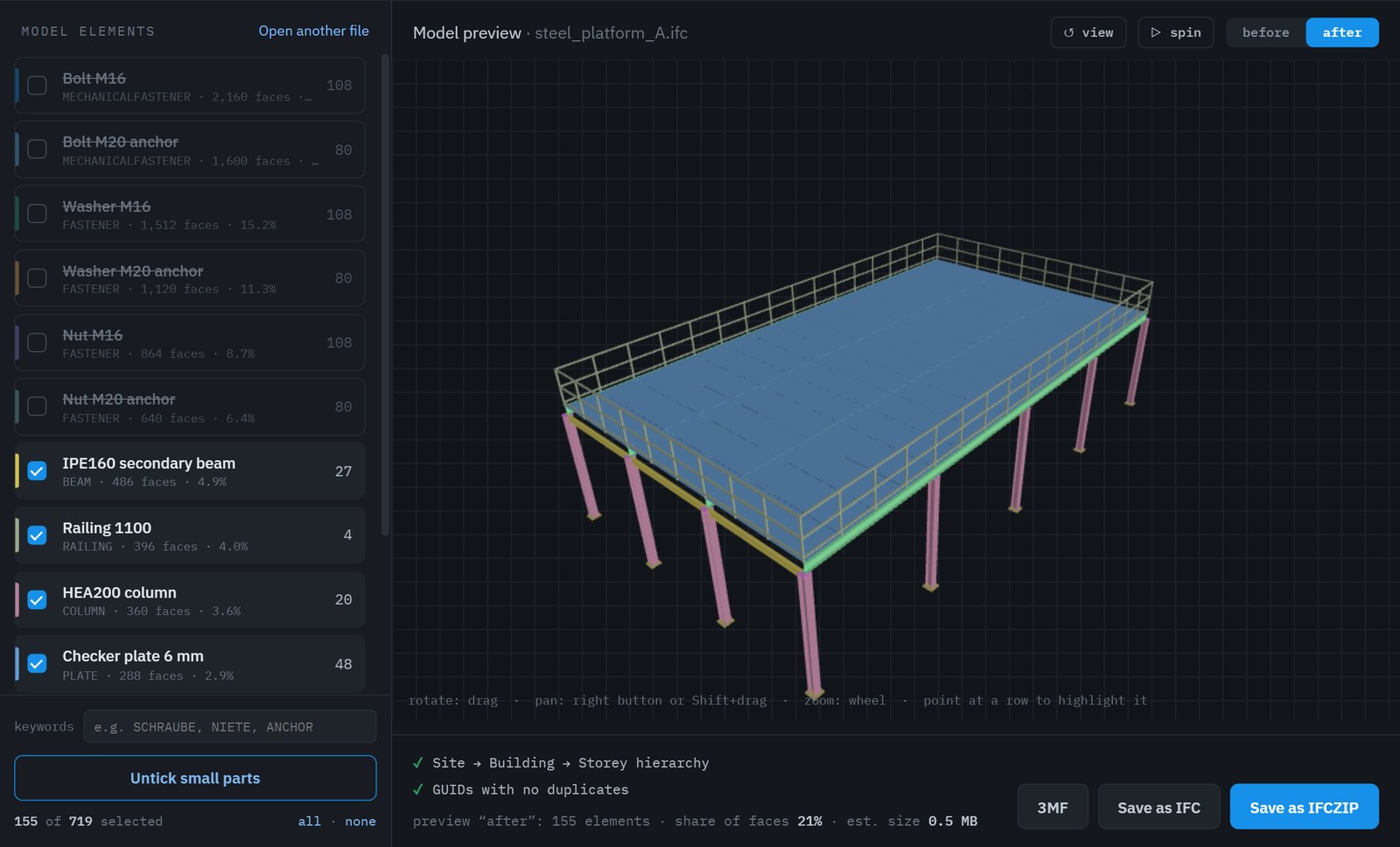
IFC Lite lets you untick small parts and whole groups of elements in one click, and repairs the hierarchy and duplicate GUIDs as it saves. What you get is a light file that opens quickly and goes into other software without trouble.
Filter, repair and export in a single window
Untick the small parts in one click
Bolts, nuts, washers and anchors are recognised by name (EN, PL, NL, DE). You can add your own keywords.
Live 3D preview
Unticked elements disappear from the model straight away. Rotate, zoom and pan so you can see exactly what stays.
Spatial hierarchy repair
If the incoming file has orphaned elements, the tool rebuilds the Project → Site → Building → Storey structure.
GUID de-duplication for BIMcollab
Fixes duplicate GlobalId values, a common export problem from 3DEXPERIENCE that made BIMcollab reject the file.
IFC and IFCZIP export
Save a clean IFC, or a heavily compressed IFCZIP ready to import into other software.
Large file mode
On very large models you can switch the 3D preview off, and loading and filtering become considerably faster.
Four steps, from a heavy IFC to a light file
Load an IFC file, even a large one of hundreds of megabytes.
Untick the small parts and element groups, with a live preview.
The program repairs the hierarchy and de-duplicates the GUIDs.
Save a light IFC or IFCZIP, ready to import.
One subscription, full access.
Try the program free for 14 days: export of the first 20 elements, and once every 48 hours an export of the whole model. After that it runs on a subscription you can cancel whenever you like. IFC files are written by many different programs, so IFC Lite may not read every element of every file; check it on your own files in the free trial.
Requirements: Windows 10 or 11 (64 bit), internet at activation and at least once every 72 hours. Reads IFC files (IFC2x3, IFC4), saves IFC, IFCZIP and 3MF.
A light IFC, ready to import in seconds
EUR 7.00 per month, excluding VAT (added based on your country). Filtering, hierarchy repair, GUID de-duplication, IFC / IFCZIP export.
Subscribe